
커스텀 메시지
커스텀 메세지 작성방법
커스텀 메세지는 채팅방에 접속된 클라이언트들에게 전송되는 이벤트성 메세지이며, 데모화면에서 사용이 가능한 메세지는 아래의 작성된 코드 2개로 사용이 가능하고 소스코드를 직접 다운받아 커스텀메시지를 받는 코드를 더 추가하여 수정이 가능합니다.
샘플 json Data
json
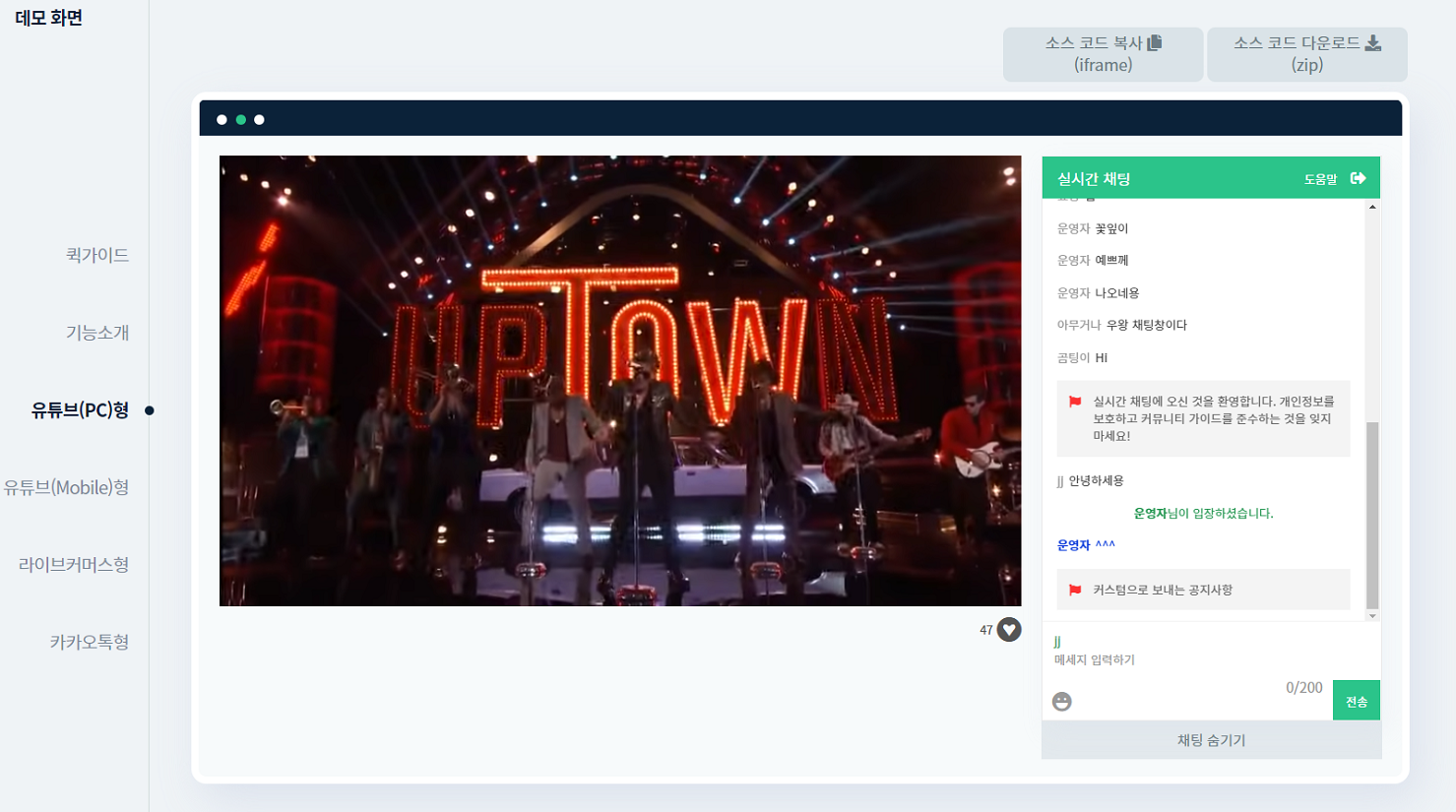
{"type":"notice", "msg":"커스텀으로 보내는 공지사항"}
{"type":"allExit", "msg":"커스텀으로 보내는 전체 추방"}커스텀 메세지 전송방법
커스텀 메세지를 전송하기 전 미리 등록을 시켜야 합니다.
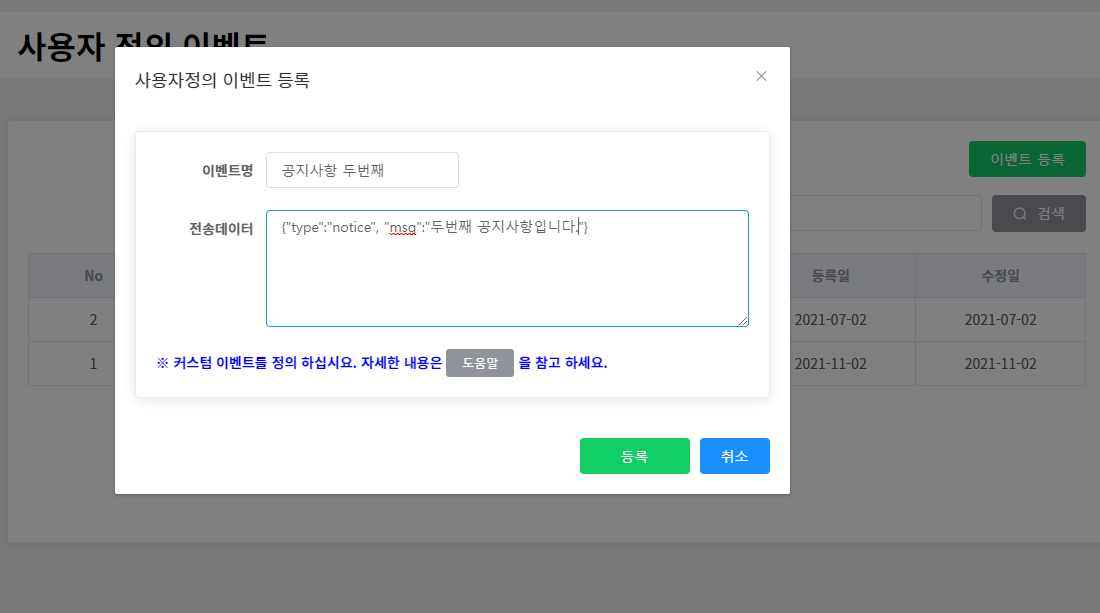
채팅방관리>사용자정의 이벤트메뉴로 들어가서이벤트등록버튼을 클릭하여 전송할 커스텀 데이터를 작성하여 등록합니다.- CMS 좌측 메뉴에서
채팅방관리>채팅방 목록>채팅방 선택>채팅방 모니터링로 이동합니다. - 채팅방 모니터링에서
사용자 정의 이벤트 전송버튼을 클릭하여 노출되는 팝업창에 저장시킨 커스텀 메세지로 선택하고 팝업창 하단의전송을 클릭합니다.
1. 커스텀 메세지 저장
2-1. 채팅방 모니터링 화면에서 이벤트 전송
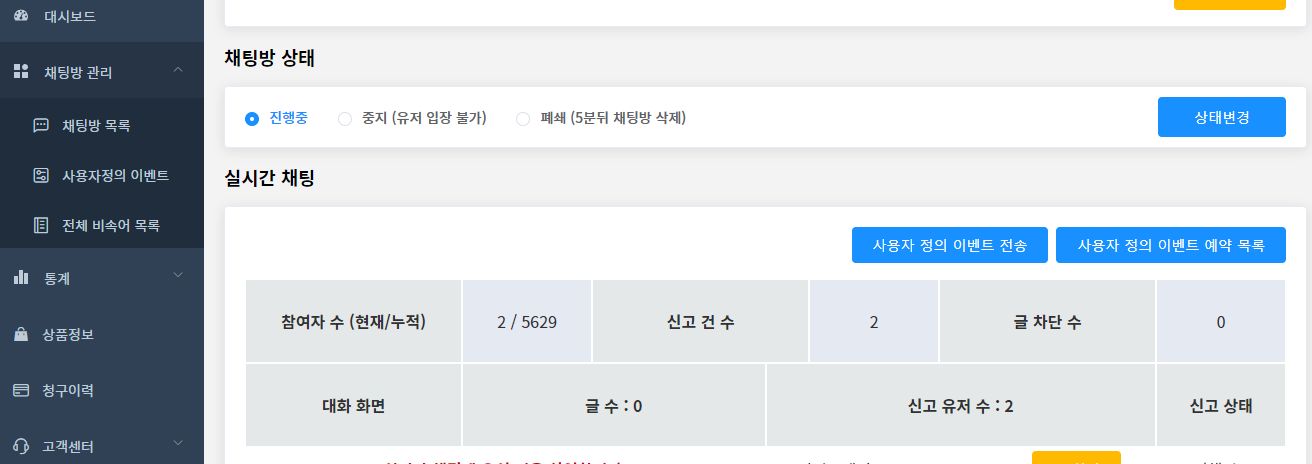
2-2. 채팅방 모니터링 화면에서 이벤트 전송
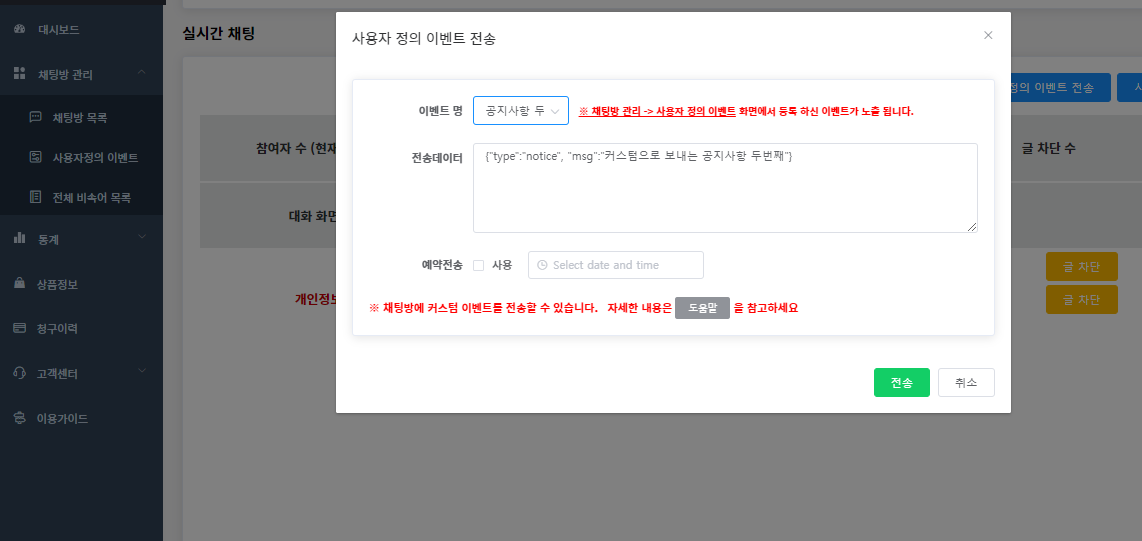
3. 커스텀 메세지 전송
모니터링 (예약 목록)
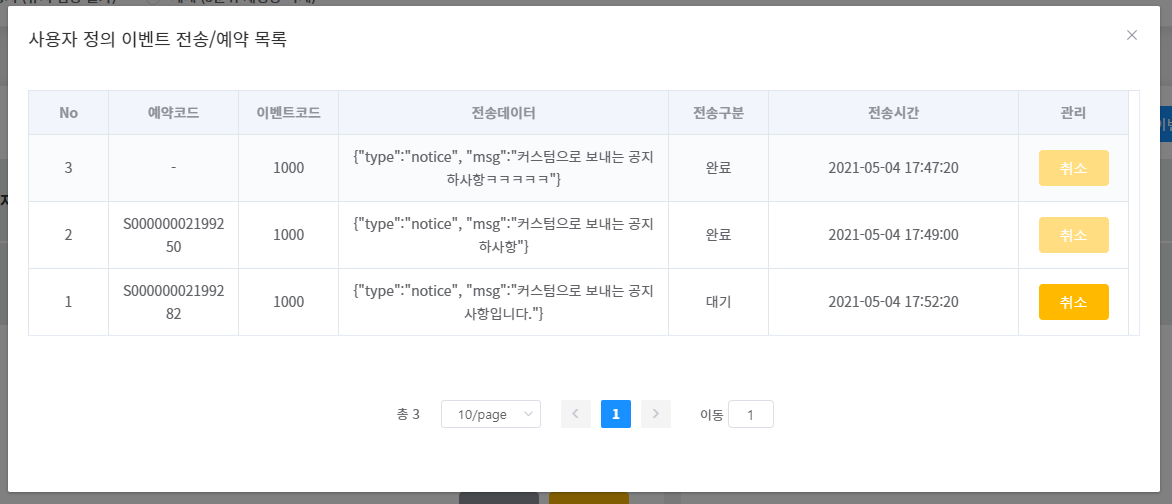
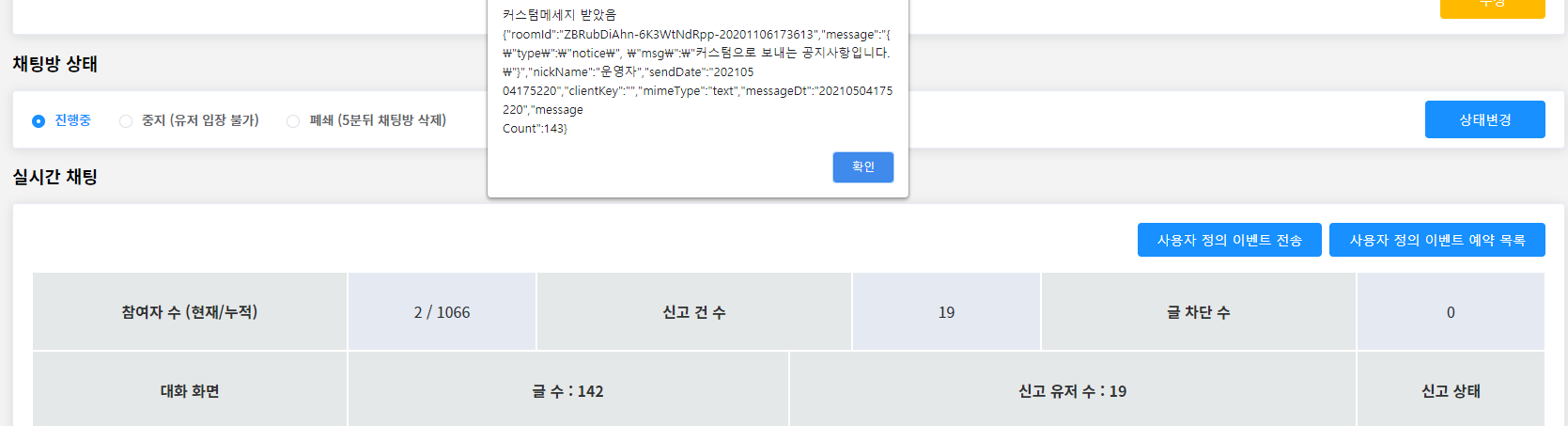
운영자 측 (모니터링)
클라이언트 측
채팅방에 커스텀 메세지가 올라올 경우 발생되는 이벤트
js
channel.onNotifyCustom = function (event) {
  console.log("onNotifyCustom", event);
};결과 값
값 식별자 설명 roomId String 채팅방 생성 후 발급받은 Channel Key message String 커스텀 메시지내용 nickName String 채팅방 입장 유저의 별명 clientKey String 메시지를 전송한 접속 단말 설정 고유키 messageDt String 전송 날짜 mimeType String 메시지 형태 (text: 일반텍스트, emoji: 이모지) messageCount String 메시지 수
프로젝트에 적용할 코드
index.html의 errorpopup 밑에 아래 태그 추가합니다.
html
<div class="custompopup" style="display: none;">
  <p>확인 / 취소 중 선택해주세요.</p>
  <a class="popupbtn" href="#!">확인</a
  ><a class="popupbtn" href="#!" style="display: none;">취소</a>
</div>js
channel.onNotifyCustom = function (event) {
  try {
    var custom = JSON.parse(event.message);
    if (custom.type == "popup") {
      openPopup(
        custom.msg,
        function (val) {
          console.log(val);
        },
        false
      );
    } else if (custom.type == "notice") {
      write(custom.msg, "notice");
    } else {
      openPopup(
        JSON.stringify(custom),
        function (val) {
          console.log(val);
        },
        true
      );
    }
  } catch (e) {
    openPopup(
      JSON.stringify(event.message),
      function (val) {
        console.log(val);
      },
      true
    );
  }
};

function openPopup(msg, callback, option) {
  var p = $("div.custompopup").hide();
  $("p:nth-child(1)", p).text(msg);
  $("a:nth-child(2)", p)
    .off()
    .click(function () {
      p.hide();
      if (typeof callback == "function") {
        callback("확인");
      }
    });
  if (option) {
    $("a:nth-child(3)", p).hide();
  } else {
    $("a:nth-child(3)", p)
      .off()
      .click(function () {
        p.hide();
        if (typeof callback == "function") {
          callback("취소");
        }
      });
  }
  p.show();
}